
Daytona Spin Registration Process in UK
Creating an account on Daytona Spin opens access to a full online casino and sportsbook, giving you a wide range of slots, live dealer tables, and sports markets available to players in the United Kingdom. Once registered, you can deposit funds, request withdrawals, and manage your activity entirely through your personal account. New users in the UK are also eligible for a welcome bonus of 255% up to £1500 plus 100 free spins, available after your first deposit.
All Available Registration Options on Daytona Spin
The platform gives you several ways to complete your registration online, so you are not limited to a single path. Each method collects the information needed to create a new account securely, and all options lead to the same fully activated profile. Choose the approach that works best for you from the options listed below.
Available registration methods:
- By phone number;
- By email address;
- Via social media;
- One-click registration.
Registration by Phone Number
This method uses your mobile number as the primary identifier for your account, making it straightforward to access your profile later without needing to remember a separate email address. It is a practical option if you prefer mobile-first access.
- Visit the official Daytona Spin site and click the registration button.
- Select the phone number option and enter your mobile number.
- Enter the verification code sent to your phone via SMS.
- Set a password and select your preferred currency.
- Confirm the details to complete your new account creation.
Registration by Email
Email registration lets you tie your account to an address you already use regularly, giving you a reliable way to receive account notifications and recover access if needed. It is the most widely used method across the platform.
- Click the sign up button on the Daytona Spin website.
- Select the email option and enter a valid email address.
- Create a strong password for your account.
- Fill in your personal details, including your name, date of birth, and country.
- Confirm your email address via the verification link sent to your inbox.
Registration via Social Media
Linking an existing social media account lets you complete the registration process in fewer steps, as some of your details are pulled automatically from your profile. This option is available for supported platforms shown at the sign up stage.
- Click the registration button on the site.
- Select the social media option and choose your preferred platform.
- Authorise the connection when prompted by the social media provider.
- Review and confirm the pre-filled personal details.
- Accept the terms and conditions to finalise your account.
One-Click Registration
The one-click option creates a new account with the minimum number of steps, ideal if you want to get started quickly and complete your full profile details at a later stage. You will be asked to provide additional information before making your first deposit.
- Click the one-click sign up button on the homepage.
- Select your currency and country from the available options.
- Click confirm to generate your account credentials automatically.
- Save the login details provided and log in to access your account.
- Complete your personal profile before depositing funds.
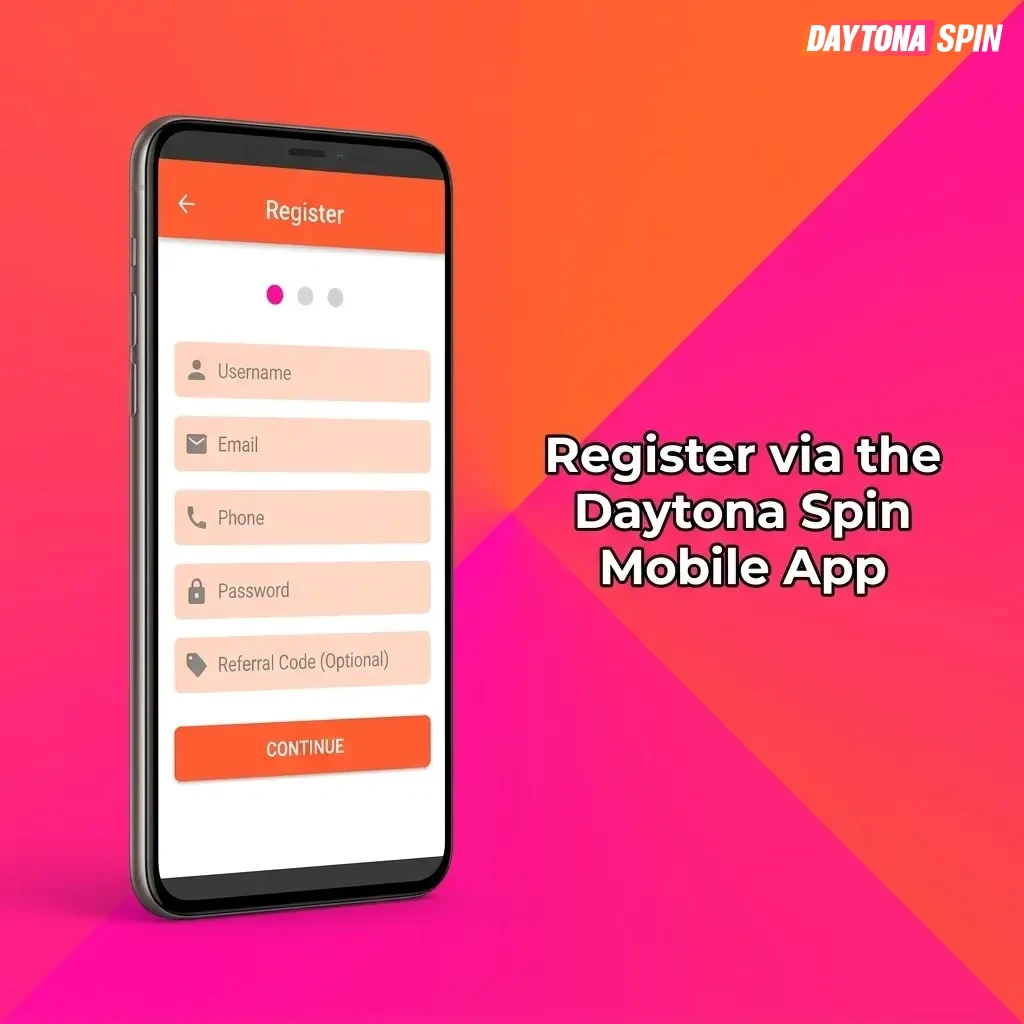
Register via the Daytona Spin Mobile App
The Daytona Spin app provides a dedicated environment for account creation directly from your smartphone, with an interface optimised for smaller screens. The registration steps follow the same structure as the desktop site, but the layout is adapted for touch navigation, making the process quicker to complete on a mobile device. If the app is not yet installed, you will need to download it before beginning.
- Download and install: Visit the official Daytona Spin website on your mobile browser, locate the app download link, and install the application on your iOS or Android device.
- Open the app and start registration: Launch the app and tap the registration button displayed on the main screen.
- Choose your registration method: Select from the available options, including phone number, email, social media, or one-click registration, and follow the prompts for your chosen method.
- Enter your details: Provide the required personal information, set a password, and select your preferred currency.
- Confirm and access your account: Complete the final confirmation step to activate your new account and log in for the first time.
Account Registration Requirements
To create an account on Daytona Spin, you must meet a set of eligibility conditions and agree to the platform’s terms before completing the registration online. All users must be at least 18 years of age, in line with UK gambling regulations. Providing accurate personal information is mandatory, as your details will be used during the verification process. Attempting to create more than one account is not permitted and may result in account suspension.
- You must be 18 years of age or older to register and participate in real-money gambling;
- You must be located in a jurisdiction where online gambling is legally permitted, including the United Kingdom;
- All personal details submitted during registration must be accurate, complete, and your own;
- Only one account per person is allowed; duplicate accounts are subject to closure;
- You must agree to the platform’s terms and conditions and responsible gambling policy before your account is activated.
Login to Daytona Spin Account
Once your account is created, signing in takes only a few seconds using the credentials you set during registration. Follow the steps below to access your account.
- Click the Login button on the official Daytona Spin website or within the mobile app.
- Enter the phone number, email address, or social media account you used during registration.
- Type in your password and click confirm to sign in to your account.
- If you registered via one-click, use the credentials that were generated and provided to you at the time of sign up.
Account Verification Process
Account verification is a required step under UK gambling regulations and applies to all registered users on the platform. The process confirms your identity and ensures your account details are accurate, which is a condition for processing withdrawal requests. Completing verification also gives you full access to all account features, including higher transaction limits. The sooner you submit the required documents, the sooner your account reaches full operational status.
- Log in to your account and navigate to the verification section in your personal profile.
- Submit proof of identity, such as a valid passport, driving licence, or national identity card.
- Provide proof of address using a recent utility bill or bank statement dated within the last three months.
- If requested, upload proof of payment method, such as a photo of the card used to deposit funds.
- Wait for the review to be completed; you will receive a notification once your account has been verified.
Welcome Bonuses for New Users from United Kingdom
New users who complete the registration online and make their first deposit are eligible for a welcome package of 255% up to £1500 plus 100 free spins. The offer is split across casino and sports betting, giving you a bonus relevant to how you prefer to play. Each bonus type has its own conditions, so review the details before activating your chosen offer.
Casino Bonus
The casino portion of the welcome package applies to your first deposit and adds a percentage bonus to your balance, along with free spins for use on selected slot titles. This gives you additional funds to explore the casino section after your sign up is complete.
| Detail | Information |
|---|---|
| Bonus size | 255% up to £1500 plus 100 free spins |
| How to claim | Make your first deposit after completing registration |
| Minimum deposit | Check the current minimum deposit amount in the promotions section |
| Wagering requirements | Review the applicable wagering terms in the bonus conditions before activating |
Sports Betting Bonus
A dedicated bonus is available for users who prefer sports betting, applied to qualifying deposits made after your account is created. The offer adds value to your first sports wager, allowing you to explore a wide range of UK and international sports markets.
| Detail | Information |
|---|---|
| Bonus size | Included within the 255% up to £1500 welcome package |
| How to claim | Deposit funds and opt in to the sports bonus offer in the promotions section |
| Minimum deposit | Check the current minimum deposit amount in the promotions section |
| Wagering requirements | Sports bonus terms and qualifying bet conditions apply; review before activating |
Possible Problems and Their Solutions When Registering on Daytona Spin
A small number of issues can arise during the registration process, most of which are straightforward to resolve. The table below covers the most common problems encountered at the sign up stage and the steps you can take to fix them.
| Problem | Solution |
|---|---|
| The verification SMS or email code is not received | Check your spam or junk folder if using email; for SMS, confirm the number entered is correct and request a new code after waiting one minute. |
| An error message appears stating the email or phone number is already registered | Use the password recovery option to regain access to your existing account rather than creating a new one. |
| The registration form does not submit | Ensure all required fields are completed accurately and that your browser is up to date; try clearing your cache or switching to a different browser. |
| The selected country or currency is not available | Confirm that you are accessing the correct official site for the United Kingdom; contact support if your options remain restricted. |
| The social media connection fails during sign up | Disconnect and reconnect the social media account, or switch to the email or phone number registration method as an alternative. |
Steps to Delete a Personal Account
If you decide you no longer wish to use the platform, you can request to close your account through the appropriate channel. Before proceeding, ensure that any remaining balance has been withdrawn and that no active bonuses are pending.
- Log in to your account and navigate to the account settings or responsible gambling section.
- Locate the account closure or self-exclusion option and select the relevant request type.
- Contact the customer support team directly via live chat or email if the closure option is not available within your account settings, and submit a formal account deletion request.
- Confirm your identity if prompted, and wait for written confirmation that your account has been closed.
FAQ
How long does the registration process take?
Completing the sign up form takes approximately two to three minutes. Using the one-click or social media option can reduce this time further.
Can I register from a mobile browser without downloading the app?
Yes. The official site is accessible via any mobile browser, and you can create a new account without installing the app. The site adapts to your screen size automatically.
Is it necessary to verify my account before making a deposit?
You can deposit funds before full verification is complete, but withdrawals are only processed once your identity has been confirmed in line with UK regulatory requirements.
What should I do if I forget my password after registering?
Use the forgotten password option on the login page. You will receive a reset link or code to the email address or phone number associated with your account.
Is my personal information kept secure during and after registration?
The platform uses encryption protocols to protect the data you submit during the sign up process and throughout your time as a registered user. Your information is not shared with third parties outside of regulatory obligations.
Updated: